Modern Equipment for Aesthetics and Medicine
We offer innovative solutions and certified equipment for your beauty salon, medical clinic, or laser hair removal center.

We offer innovative solutions and certified equipment for your beauty salon, medical clinic, or laser hair removal center.

We provide professional training on the use of equipment and round-the-clock technical support.

High-quality service and technical maintenance for your equipment.

We help you choose the equipment that best suits your needs and budget.

We identify the client’s needs and select suitable equipment.
We conduct a practical demonstration and explain the functionality.

We ensure fast delivery and installation of the equipment.
We train the client’s staff to operate the equipment.

We provide warranty and post-warranty service.
We offer consultations and assistance with upgrades.
Key Advantages:

We offer only certified equipment that has passed international testing. High quality is our guarantee of your business's success.

Our specialists are experts with many years of experience in the field of cosmetology and aesthetic medicine. We provide professional training and support for the successful use of our equipment.

We provide competitive prices and flexible purchase terms. No hidden fees—only transparent pricing.

We carefully analyze your needs and provide solutions tailored specifically to your business. Each client receives personalized consultations and recommendations.


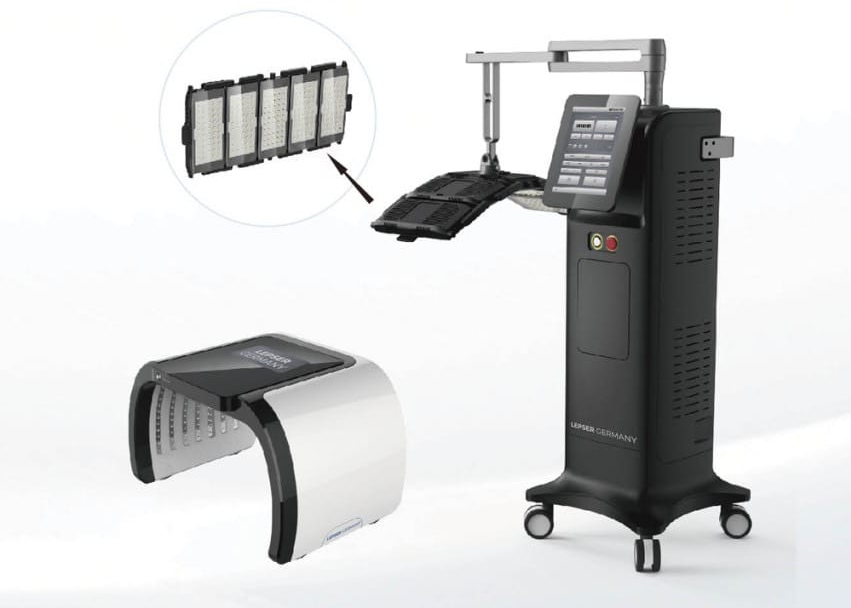


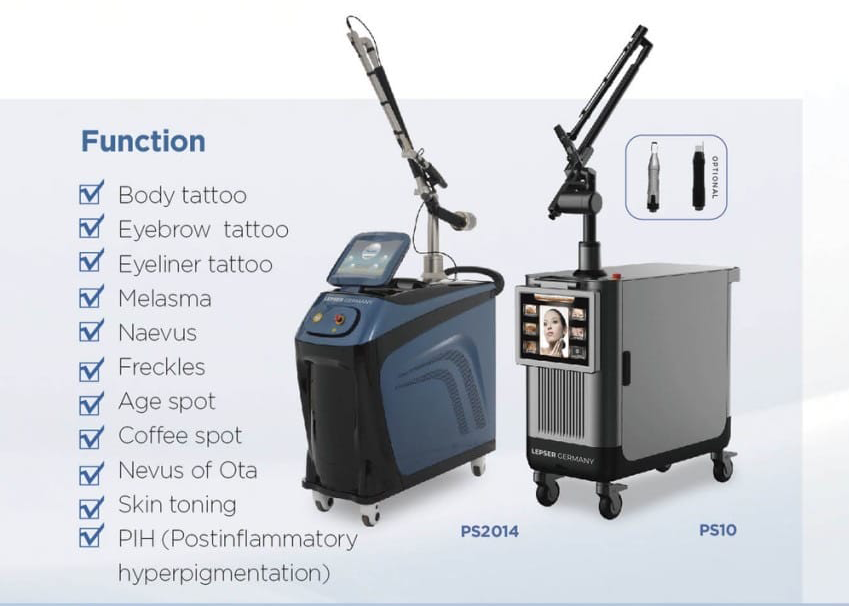


Create unique projects for your salon or clinic using the latest technologies from Lepser Germany. From basic models to premium professional equipment — choose the right plan to take your business to the next level.
Build responsive, mobile-first projects on the web with the world's most popular front-end component library.
This is the first item's accordion body. It is hidden by default, until the collapse plugin adds the appropriate classes that we use to style each element. These classes control the overall appearance, as well as the showing and hiding via CSS transitions. You can modify any of this with custom CSS or overriding our default variables. It's also worth noting that just about any HTML can go within the .accordion-body, though the transition does limit overflow.
This is the first item's accordion body. It is hidden by default, until the collapse plugin adds the appropriate classes that we use to style each element. These classes control the overall appearance, as well as the showing and hiding via CSS transitions. You can modify any of this with custom CSS or overriding our default variables. It's also worth noting that just about any HTML can go within the .accordion-body, though the transition does limit overflow.
This is the first item's accordion body. It is hidden by default, until the collapse plugin adds the appropriate classes that we use to style each element. These classes control the overall appearance, as well as the showing and hiding via CSS transitions. You can modify any of this with custom CSS or overriding our default variables. It's also worth noting that just about any HTML can go within the .accordion-body, though the transition does limit overflow.
This is the first item's accordion body. It is hidden by default, until the collapse plugin adds the appropriate classes that we use to style each element. These classes control the overall appearance, as well as the showing and hiding via CSS transitions. You can modify any of this with custom CSS or overriding our default variables. It's also worth noting that just about any HTML can go within the .accordion-body, though the transition does limit overflow.
This is the first item's accordion body. It is hidden by default, until the collapse plugin adds the appropriate classes that we use to style each element. These classes control the overall appearance, as well as the showing and hiding via CSS transitions. You can modify any of this with custom CSS or overriding our default variables. It's also worth noting that just about any HTML can go within the .accordion-body, though the transition does limit overflow.
This is the first item's accordion body. It is hidden by default, until the collapse plugin adds the appropriate classes that we use to style each element. These classes control the overall appearance, as well as the showing and hiding via CSS transitions. You can modify any of this with custom CSS or overriding our default variables. It's also worth noting that just about any HTML can go within the .accordion-body, though the transition does limit overflow.
This is the first item's accordion body. It is hidden by default, until the collapse plugin adds the appropriate classes that we use to style each element. These classes control the overall appearance, as well as the showing and hiding via CSS transitions. You can modify any of this with custom CSS or overriding our default variables. It's also worth noting that just about any HTML can go within the .accordion-body, though the transition does limit overflow.
This is the first item's accordion body. It is hidden by default, until the collapse plugin adds the appropriate classes that we use to style each element. These classes control the overall appearance, as well as the showing and hiding via CSS transitions. You can modify any of this with custom CSS or overriding our default variables. It's also worth noting that just about any HTML can go within the .accordion-body, though the transition does limit overflow.
Build responsive, mobile-first projects on the web with the world's most popular front-end component library.









We have 14+ years experience. Helping you overcome technology challenges. Join the thriving technox it solution agency.
Don't miss to subscribe to our new feeds, kindly fill the form below.

